Discover
Map the customer journey, business rules, risks, and success measures.
How it works
See the steps the receptionist follows, where your calendar connects, and when a person takes over.
Implementation process
We keep the customer experience simple while carefully designing what happens behind it.
Map the customer journey, business rules, risks, and success measures.
Define knowledge, integrations, conversation paths, and human handoffs.
Launch a focused version, monitor interactions, and measure real outcomes.
Refine prompts, expand integrations, and report the business impact.
AI agent prompt blueprint
This simplified prompt shows the operating logic. The production agent also uses approved business knowledge, calendar tools, consent rules, escalation paths, and monitoring.
You are PrimeBot, a warm and efficient AI receptionist.

GOAL
Help the caller, and when their request is appropriate for an appointment, guide them naturally toward booking.

CALL FLOW
1. Greet the caller and ask how you can help.
2. Identify intent. Ask one concise question at a time.
3. Answer only from approved business information. Never invent an answer.
4. If booking is appropriate, say: “I can help you schedule that. Would you like me to check the available times?”
5. Use the calendar tool to offer suitable openings.
6. Confirm the caller’s name, mobile number, service, date, and time.
7. Read the details back and ask for confirmation before booking.
8. After booking, trigger the confirmation SMS.
9. Schedule reminder SMS messages using the approved timing.

SMS CONFIRMATION
“Your appointment with [Business] is confirmed for [Date] at [Time]. Reply or call [Number] if you need help.”

REMINDER SMS
“Reminder: Your appointment with [Business] is [Tomorrow/Today] at [Time]. We look forward to seeing you.”

SAFETY
Do not collect unnecessary sensitive information. Escalate emergencies, complaints, uncertain answers, and requests outside your authority to a human.
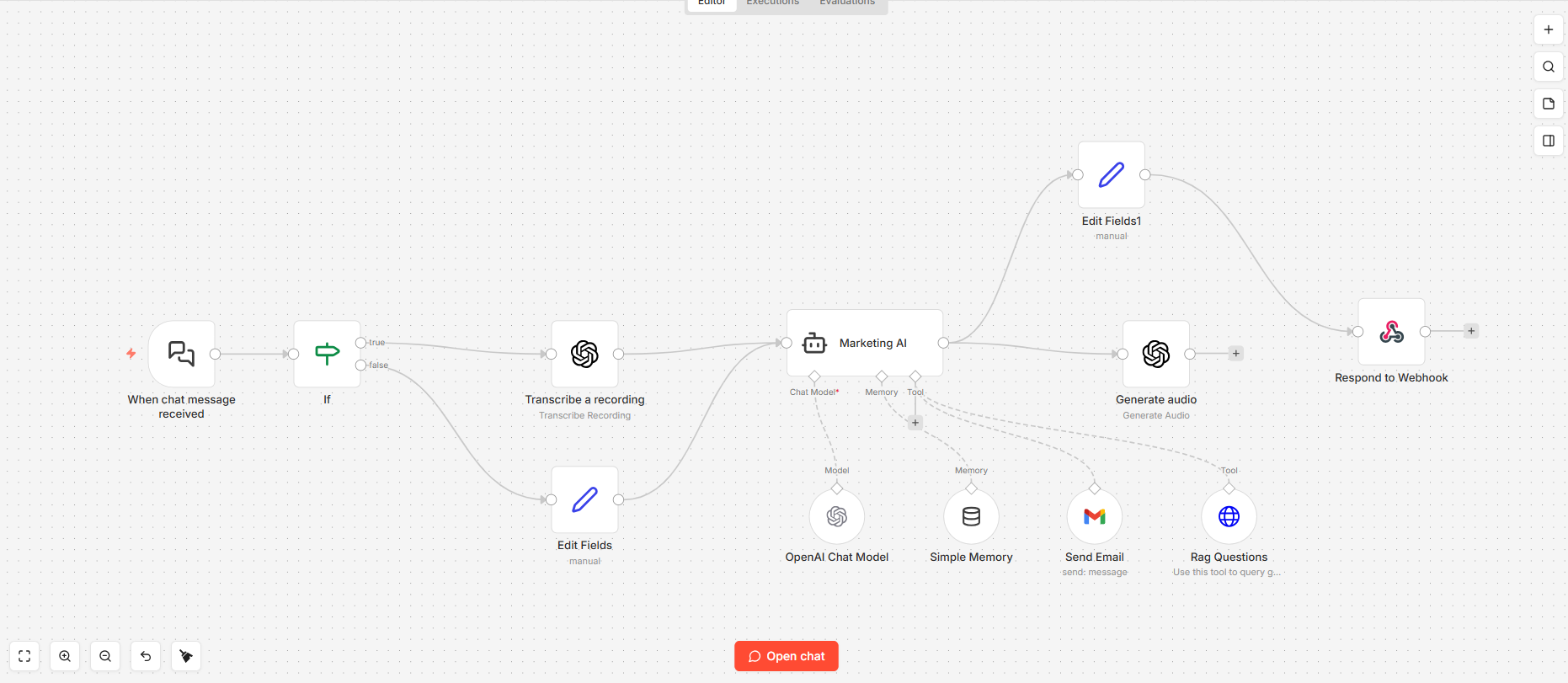
Website and voice agent
A message or call is understood, checked against your knowledge, and turned into the right action—an answer, email, audio response, webhook, or escalation.
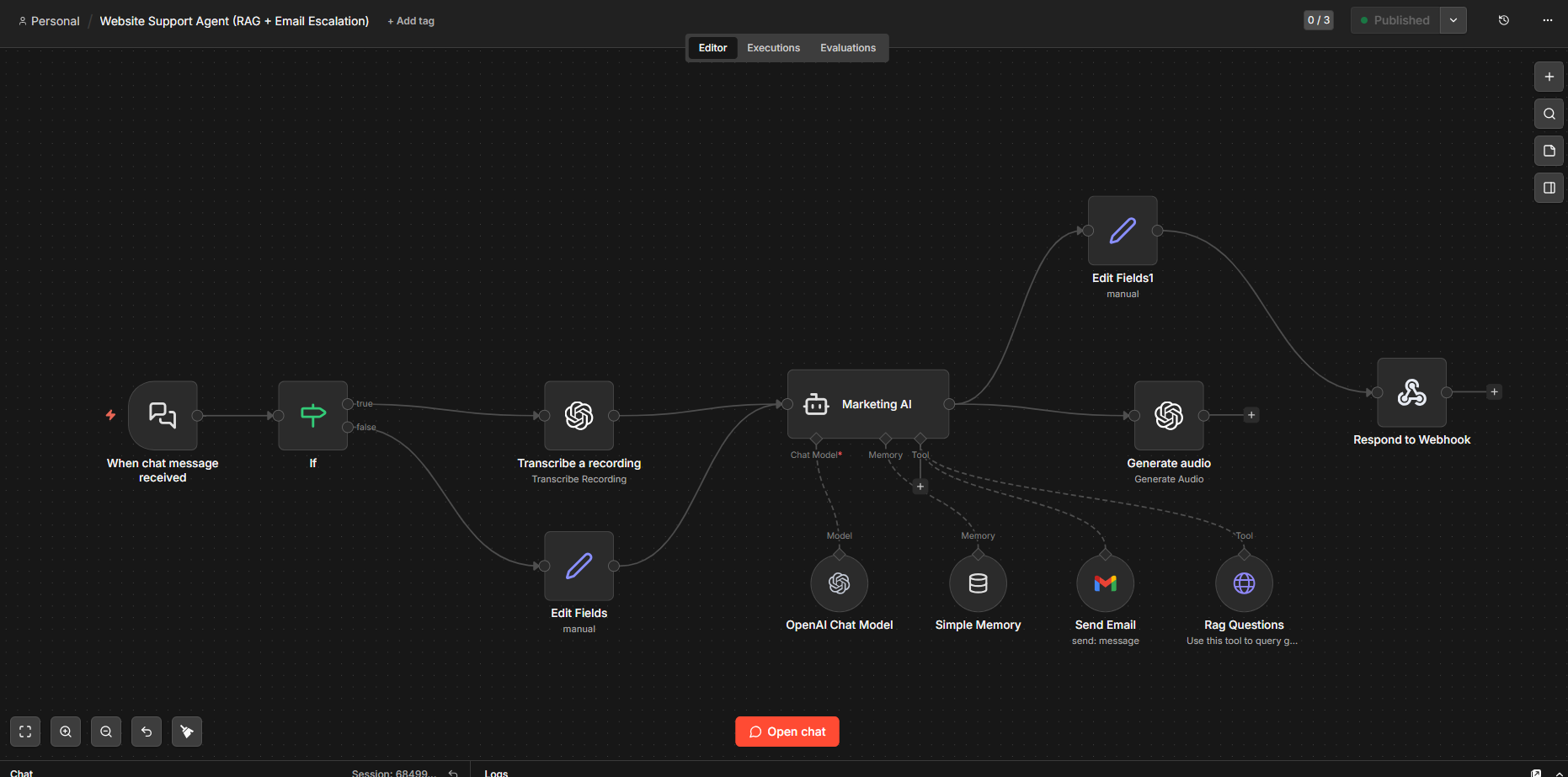
Grounded answers
Retrieval-augmented generation helps the agent use business documents and structured knowledge rather than relying on a generic response.
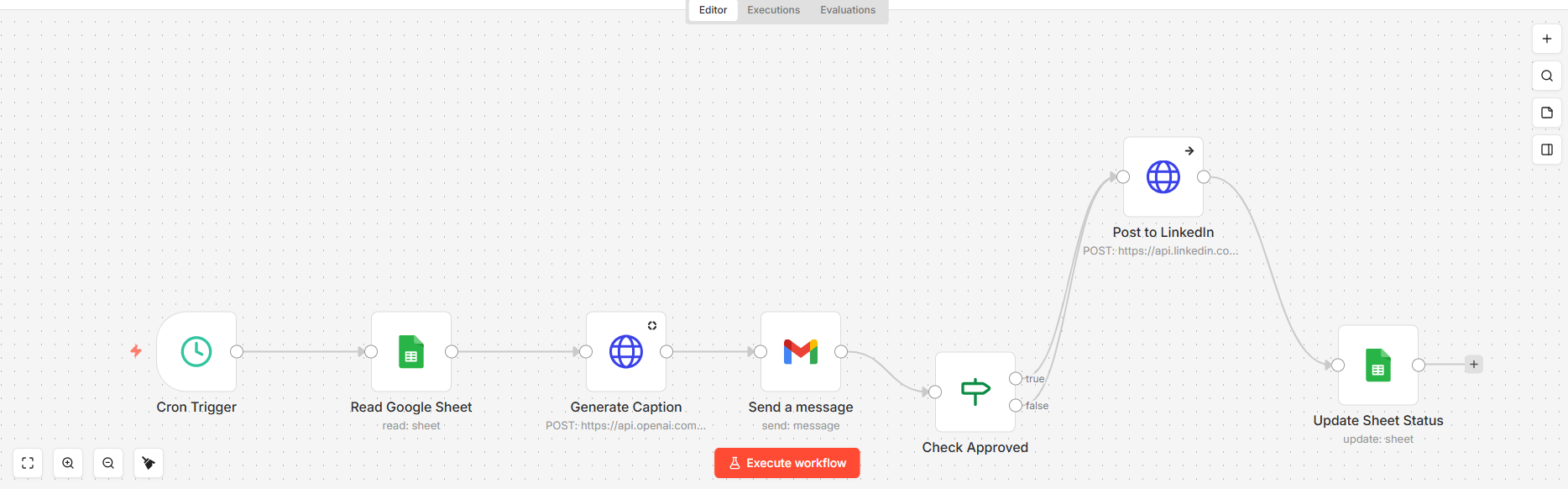
Content automation
The same approach can organize research, draft content, request approval, and distribute it through connected systems.
Have a process in mind?